iPhone & iPad
SightWord Practice
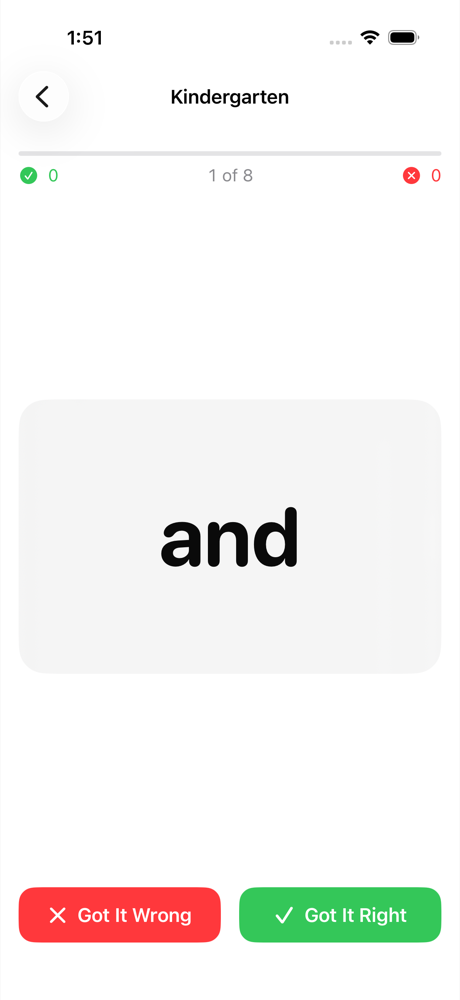
Flash cards for the sight words your child is learning this week. Type in the list the teacher sent home and practice together — your child reads the word, you tap whether they got it.

Want new versions early? Join the beta on TestFlight. It needs Apple's free TestFlight app.
Getting words in
There are three ways, and most people only ever need the first.
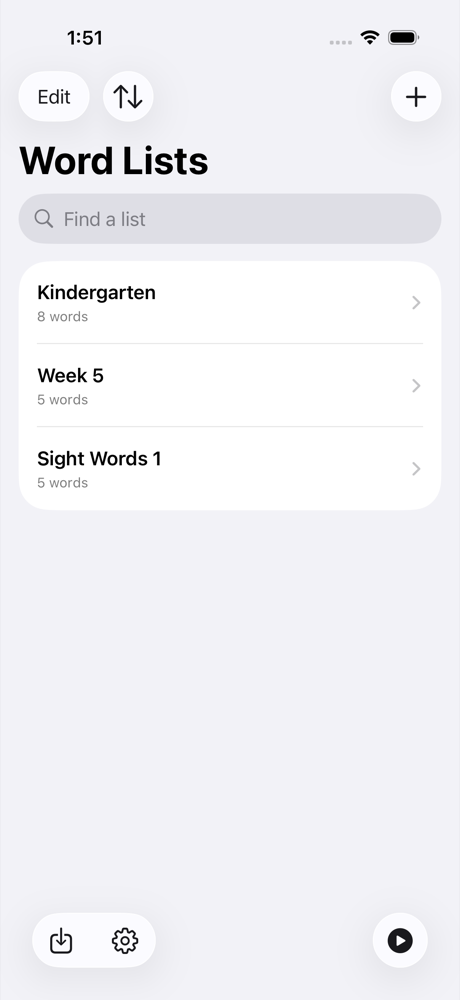
- Type them in. New List, name it, then add the words one at a time. Quickest for the ten or twenty words that come home on a Monday.
- Download a ready-made list. Import → Download a List has the classic Dolch sets and a few others, so you can start without typing anything.
- Make one on a computer. Easier for a long list, or one you already have in an email — type or paste the words into make your own word list and it gives you a file the app opens.
Sharing a list with another parent
Open the list and tap Share This List. Send it however you like — Messages, Mail, AirDrop. They tap it and it opens straight into their app, which shows them what it will add before adding anything.
A shared list carries only the words. Your child's practice history is never part of it — the format the app sends has nowhere to put one, so it cannot travel by accident.
Practice
Before a session you can choose how long it runs and how hard it leans on the words that get missed.
- One pass goes through every word once and finishes. Keep going carries on until you stop.
- Emphasis decides how much more often a missed word comes round. Set it to even and every word is equally likely.
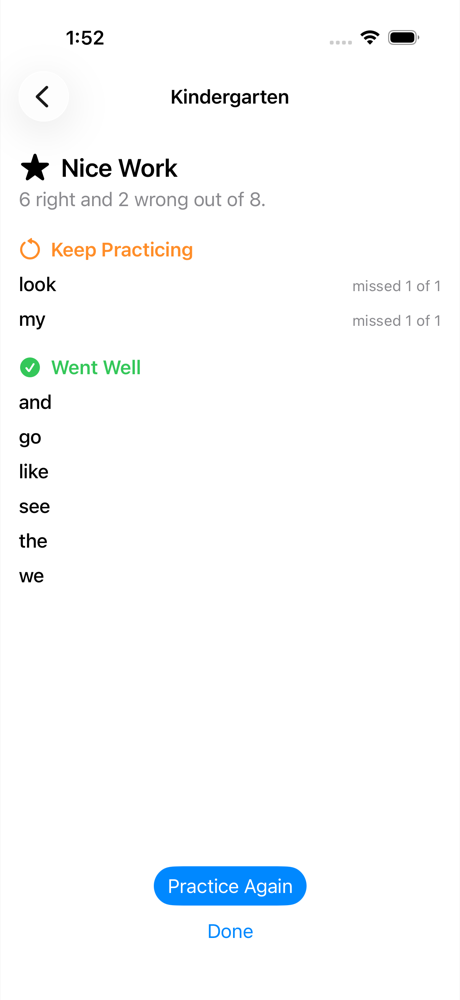
- Each word quietly remembers how it has gone, so you can see what is sticking. There are no points, badges or streaks.
Common questions
Will importing overwrite the list I already have? No. If a list arrives with a name you already use, the app offers to merge the two and keeps the practice history on every word you already had. Words you already have are skipped rather than reset.
Do my lists appear on my other devices? Yes, through your own private iCloud account, as long as both devices are signed into the same one. We have no access to it. Sign out of iCloud and the app carries on with whatever is already on the device.
Can I edit or rename a list later? Yes — the name, the words, all of it, whenever the list changes.
My child finds the movement distracting. Turn on Reduce Motion in iOS Settings under Accessibility → Motion and the cards cross-fade instead of sliding, and celebrations are turned off. You can also set the card animation to None in the app's own Settings, and turn celebrating off there.
Does it collect anything about my child? No. No accounts, no ads, no analytics, nothing sent anywhere. The privacy policy says so in more detail, and says what it would say if that ever changed.
Something not working?
Email sightword@timelessblur.com. It reaches a person — there is only one — so saying which device you are on and what you were doing helps a great deal.